How to sing harmonies with yourself on iPhone
To sing harmonies with yourself, record the melody first and then sing each harmony on a new layer while the earlier takes play back in your headphones. In Musaic every voice keeps its own effects, and in a Mosaic project every voice also gets its own pane, so the video shows the whole choir. The timeline lines the voices up to the millisecond.
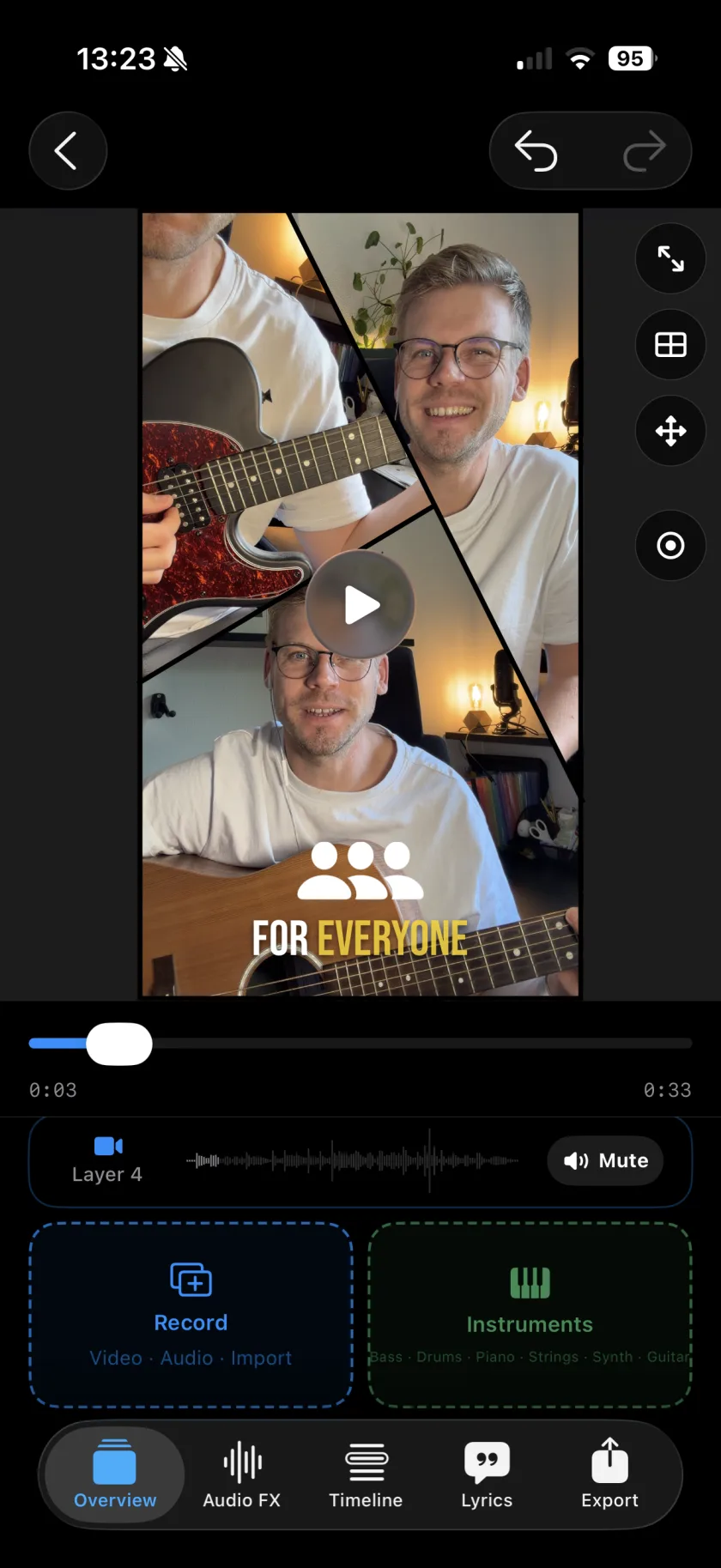
You need: Headphones. A Mosaic project if every voice should be on screen, an Audio project if you only want the sound.
-
Record the melody
Create a Mosaic project with one pane per voice, tap Record and sing the melody. A count-in from the metronome helps every voice start at the same moment.
-
Sing the first harmony
Tap Record again. The melody plays in your headphones while you sing the harmony. It lands on its own layer, in the next pane.
-
Add more voices
A third, a bass line, an ad-lib: each on a new layer, up to 10.
-
Give each voice its sound
In the Audio FX tab, pick a Voice style for each layer and add reverb, so the backing voices sit behind the lead.
-
Line them up
If a voice starts late, open its Sync Offset and move it in 1 ms steps.
-
Voice style
12 styles for a voice, among them Velvet, Hush, Double and Harmony, with an Intensity slider. Auto fits the style to the take.
-
Doubler
Adds a detuned copy of a voice for a thicker sound.
-
Reverb presets
Dry, Small room, Big room, Hall, Slapback, Dub and Ambient.
-
One pane per voice
In a Mosaic project every voice is on screen, up to 10 panes.
-
Does Musaic sing the harmonies for me?
No. Every voice is one you sing. The Doubler and the voice styles change how a voice sounds, not which notes it sings.
-
How do I find the harmony notes?
With Musaic Pro, chord detection shows the chords and the key of your take, which helps to find the notes of a harmony.
Musaic - Recording Studio is free on the App Store for iPhone and iPad. Musaic Pro adds lyrics, animations, chord detection and Fix audio, and removes the watermark.
- How to record a song with several tracks on your iPhoneGuide
- Audio effects for every layer: reverb, EQ and compressionGuide
- Headphones, AirPods and the speaker: recording without bleedGuide
Written for Musaic 1.4.0.