Audio effects for every layer: reverb, EQ and compression
In Musaic every layer has its own effects: reverb presets from Dry to Ambient, echo, a three-band EQ, compressor, warmth, tube saturation, a doubler and 12 voice styles. All Layers adds effects on top of every layer at once, and the Master setting finishes the whole mix at export with Social or Studio. The audio effects are free.
You need: Nothing extra. Audio FX are free.
-
Open the Audio FX tab
Pick a layer in the sidebar, or All Layers to add effects on top of every layer. Each layer keeps its own effects.
-
Set the room
Under Spatial, tap a preset: Dry, Small room, Big room, Hall, Slapback, Dub or Ambient. Fine-tune it with Reverb, Echo Mix and Echo Delay.
-
Shape the tone
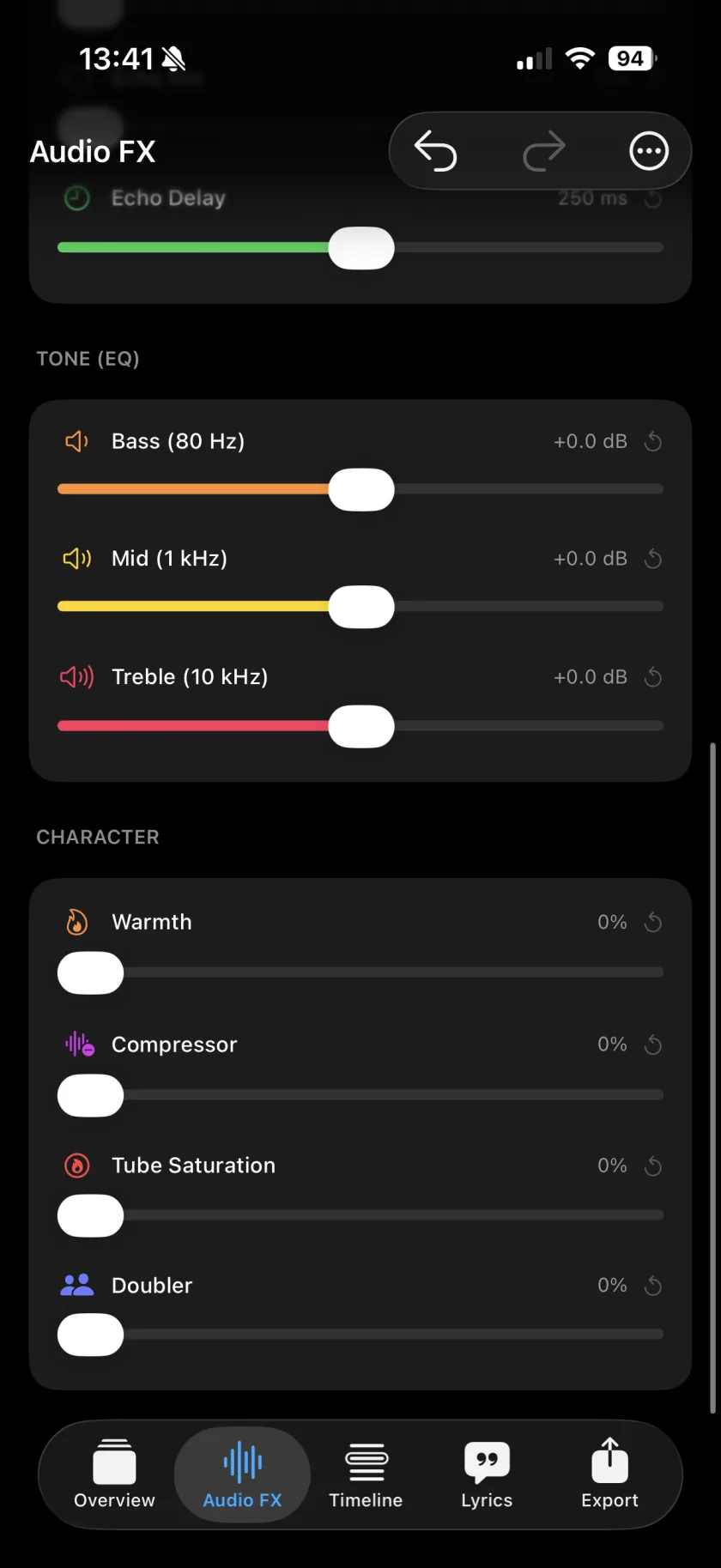
Under Tone (EQ), move Bass (80 Hz), Mid (1 kHz) and Treble (10 kHz) by up to 12 dB.
-
Add character
Pick a Voice style and its Intensity, then use Warmth, Compressor, Tube Saturation and Doubler. Fine tune holds Low Cut, De-Ess and Width.
-
Keep what works
From the menu, Save current as preset… keeps the settings, and Set as default for new layers starts every new layer with them.
-
Spatial
Seven room presets from Dry to Ambient, plus reverb and echo sliders.
-
Voice style
Fireside, Ember, Velvet, Hush, Modern Pop, Rap, Spoken, Wide, Vintage, Double, Harmony and Ad-lib, with Auto to fit the style to the take.
-
Character
Warmth, Compressor, Tube Saturation and Doubler, and under Fine tune a low cut, a de-esser and stereo width.
-
Volume and Limiter
Volume up to 300 %, with a limiter that prevents clipping.
-
Master
Off, Social or Studio for the whole mix. Social is tighter and louder for phone speakers, Studio holds the layers together gently. It applies at export.
-
Presets
Save your own chains, apply them to other layers, and set one as the default for new layers.
-
Can I compare with and without effects?
Yes. The menu has a bypass switch.
-
Is there autotune?
No. Musaic has no pitch correction; the voice styles change the sound of a voice, not its pitch.
Musaic - Recording Studio is free on the App Store for iPhone and iPad. Musaic Pro adds lyrics, animations, chord detection and Fix audio, and removes the watermark.
- How to sing harmonies with yourself on iPhoneGuide
- Video looks and effects: filters, aim, flip and rotateGuide
- Export your video, the audio, or every track separatelyGuide
Written for Musaic 1.4.0.