How to make your vocals sound better on iPhone
Your voice sounds different on a recording because you normally hear yourself partly through the bones of your head, which adds low end; the microphone only hears the air. Everyone has that. A phone vocal sounds better with a quiet room, the right distance to the microphone, headphones so the playback stays out of the take, a little EQ and compression, and reverb that fits the song. In Musaic all of that is free, on every layer.
Musaic - Recording Studio is free for iPhone and iPad. Where a step needs Musaic Pro, the guide says so.
You need: Musaic and headphones. The audio effects are free.
-
Record in a quiet, soft room
Hard walls add an echo that no effect removes later. A room with a sofa, curtains or a wardrobe full of clothes sounds drier. Switch off fans if you can.
-
Hold the phone a hand's width away
About 15 to 20 cm from your mouth, a little to the side, so p and b sounds do not hit the microphone directly. Closer sounds fuller; too close distorts on loud notes.
-
Use headphones
Without headphones the backing plays into the microphone and ends up in your take. With AirPods, Musaic keeps recording with the iPhone microphone, because a Bluetooth microphone only records at phone-call quality. The headphones guide has the details.
-
Clean up the tone
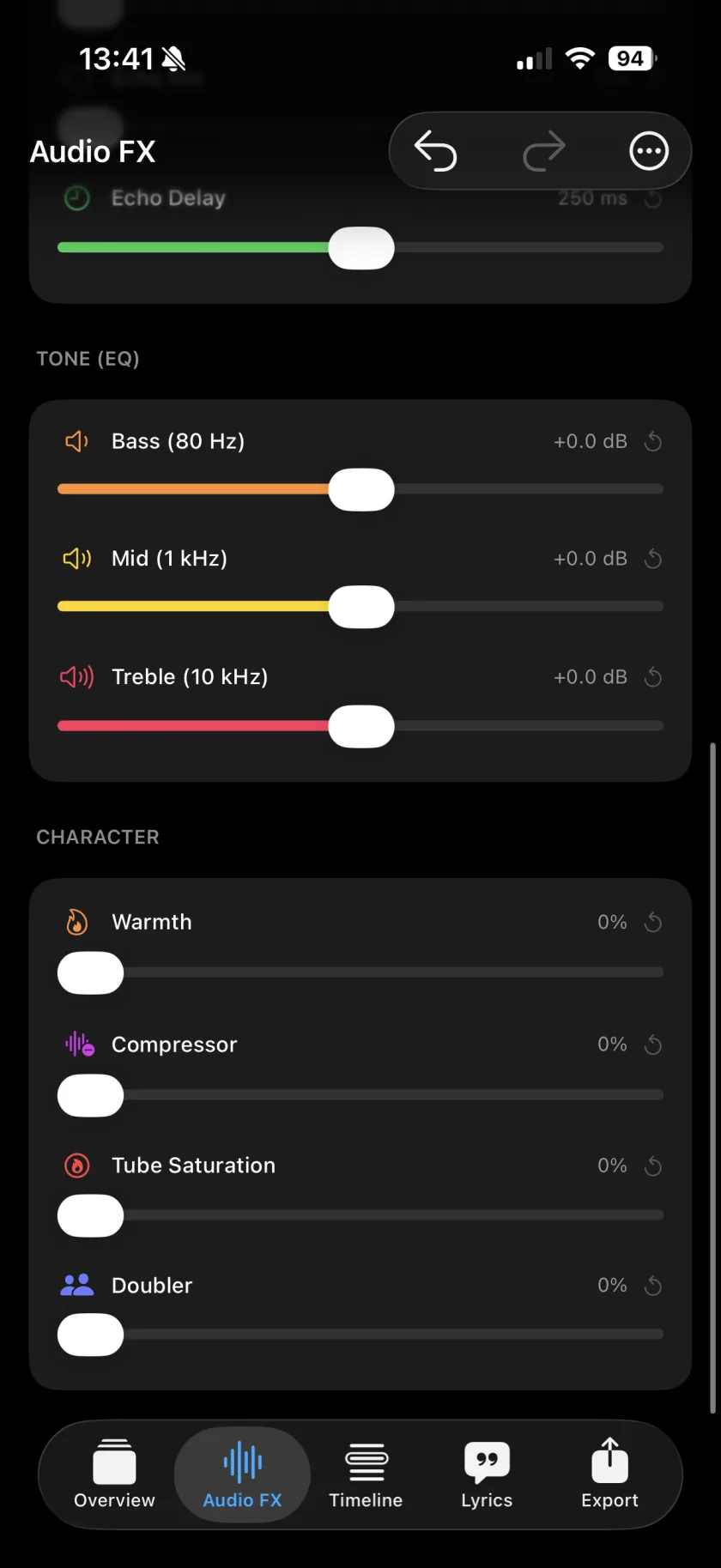
In the Audio FX tab, open Fine tune and raise Low Cut to remove rumble. Use De-Ess if the s sounds are sharp, and lower Mid (1 kHz) a little if the voice sounds boxy.
-
Even out the level
Turn up the Compressor so quiet words and loud notes sit closer together, then add some Warmth for a fuller sound.
-
Put the voice in a room
Under Spatial, start with Small room for a close song or Hall for a big ballad. Less reverb than you think usually sounds better. Or pick a Voice style such as Velvet or Modern Pop and set its Intensity.
-
12 voice styles
Fireside, Ember, Velvet, Hush, Modern Pop, Rap, Spoken, Wide, Vintage, Double, Harmony and Ad-lib, with Auto to fit the style to the take.
-
Doubler
Makes one take sound like two singers, for a fuller chorus.
-
Master
Social makes the whole mix tighter and louder for phone speakers, Studio holds the layers together gently. It applies at export.
-
Presets
Save the chain that works for your voice and set it as the default for new layers.
-
Why does my voice sound different on a recording?
When you sing, you hear your voice through the air and through the bones of your head. The bones add low frequencies, so your voice sounds deeper and fuller to you than to everyone else. A recording only has the air part. Most people get used to their recorded voice after a while.
-
Is there autotune?
No. Musaic has no pitch correction. The voice styles change the sound of a voice, not its pitch.
-
Can I compare before and after?
Yes. The Audio FX menu has a bypass switch.
Musaic - Recording Studio is free on the App Store for iPhone and iPad. Musaic Pro adds lyrics, animations, chord detection and Fix audio, and removes the watermark.
- Audio effects for every layer: reverb, EQ and compressionGuide
- Headphones, AirPods and the speaker: recording without bleedGuide
- How to sing harmonies with yourself on iPhoneGuide
Written for Musaic 1.4.0.