How to join the weekly Musaic challenge
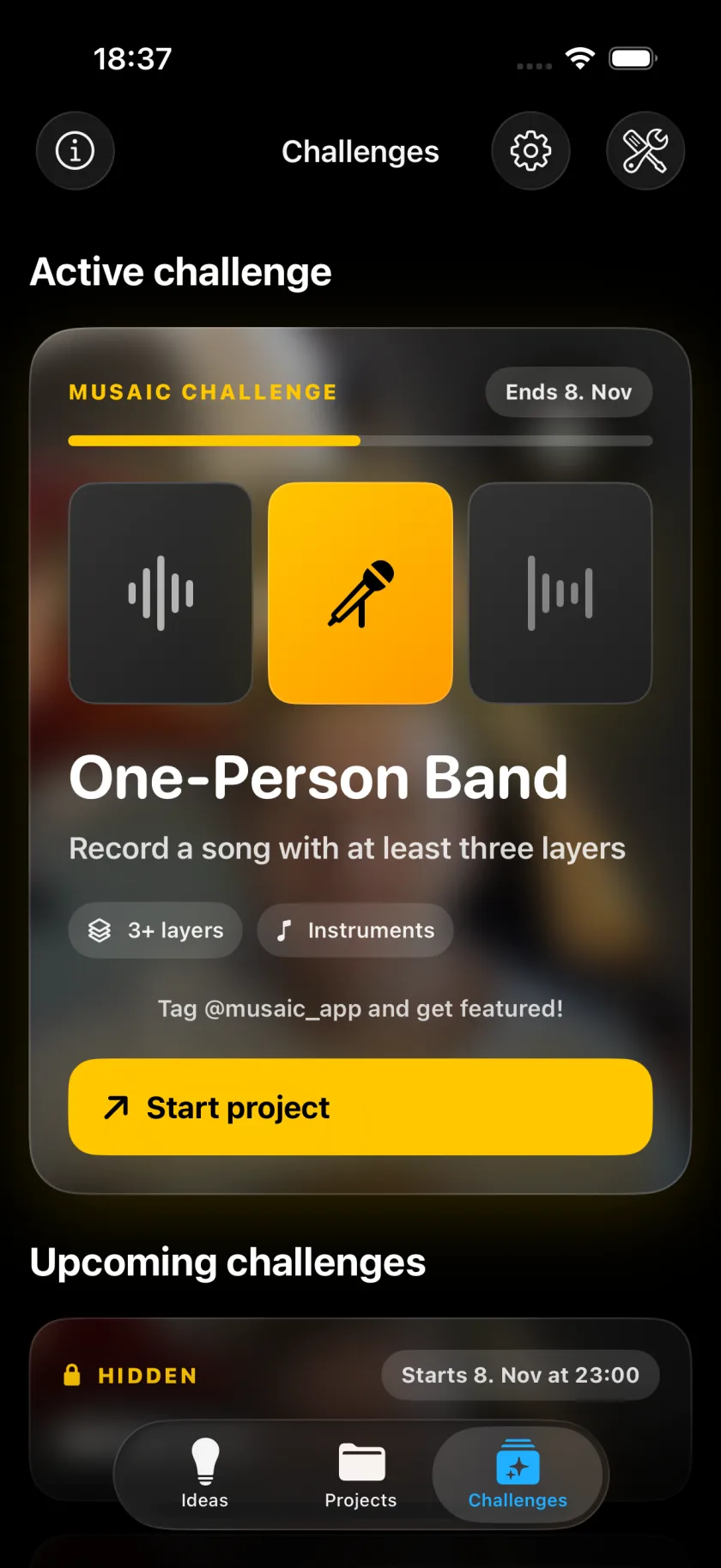
Every week Musaic sets one musical task for everyone in the Challenges tab, from a cappella to a ready-made beat to play over. Start project creates a project that is already set up for the task, you record your take, and the video shows which challenge it answers. Challenges are free.
Musaic - Recording Studio is free for iPhone and iPad. Where a step needs Musaic Pro, the guide says so.
You need: Musaic 2.0 or later on an iPhone or iPad, and an internet connection to load the challenge. The exported video carries a watermark unless you have Musaic Pro.
-
Open the Challenges tab
Tap Challenges in the tab bar of the start screen, next to Ideas and Projects. Active challenge is the task that runs now.
-
Read the task
The card names the task and what it needs, for example 3+ layers and Instruments.
-
Start the project
Tap Start project. Musaic creates a project with the beat, the words or the notes the task comes with.
-
Record your take
Record as in any other project: one take after another, with headphones on.
-
Export and post
Export the video and post it with #musaicchallenge. Tag @musaic_app to get featured.
-
When does the next challenge start?
Under the active one, Upcoming challenges shows the next dates. A task stays hidden until it starts and runs until the next one.
-
Can Musaic remind me?
Yes. On your first visit to the tab, Musaic asks whether it may send notifications. Later, turn on New challenges in Settings, and Musaic sends a reminder when a challenge starts. You can turn it off at any time.
-
It says the challenge needs the latest Musaic
Some tasks use a feature from a newer version. Update Musaic in the App Store to join in.
-
Can I change the chords in the video?
The intro and the chord visuals can be hidden with the eye in their row, for free. Editing the chord visuals is part of Musaic Pro.
Musaic - Recording Studio is free on the App Store for iPhone and iPad, with weekly challenges and Ideas. Musaic Pro adds lyrics, animations, chord detection and Audio Lab, and removes the watermark.
- How to record a split-screen music video on iPhoneGuide
- Gesture synth on iPhone: air instruments you play with your handsGuide
- Export your video, the audio, or every track separatelyGuide
Written for Musaic 2.0.0.