How to save a song idea from Instagram or TikTok to Musaic
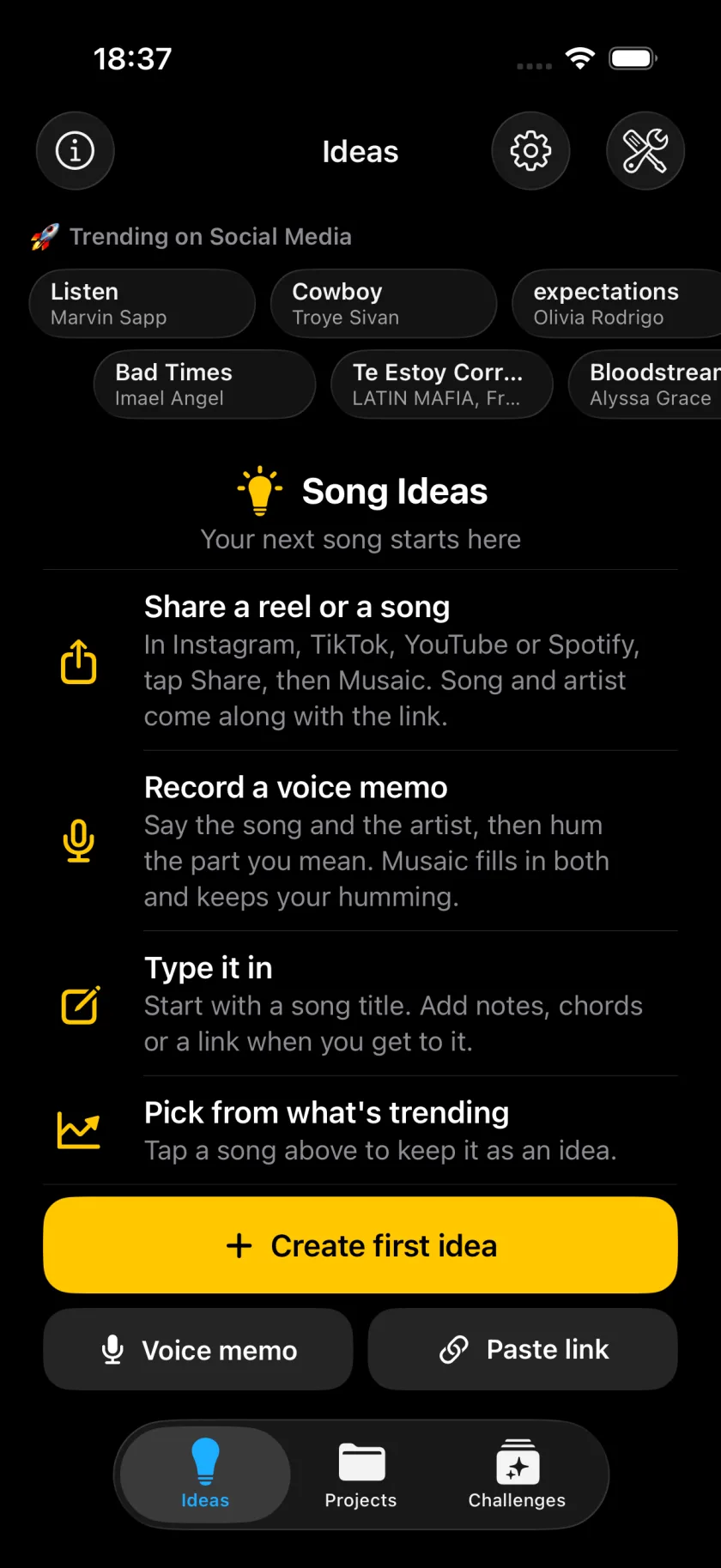
The Ideas tab keeps every song you want to record. In Instagram, TikTok, YouTube or Spotify, tap Share and then Musaic: the link is saved as an idea, with song and artist read from it. You can also say an idea out loud or type it in, record a quick sketch, and start a project from the idea when you are ready. Ideas are free.
Musaic - Recording Studio is free for iPhone and iPad. Where a step needs Musaic Pro, the guide says so.
You need: Musaic 2.0 or later on an iPhone or iPad.
-
Share the reel or the song
In Instagram, TikTok, YouTube or Spotify, tap Share and choose Musaic. If Musaic is not in the row of apps, tap More and add it.
-
Check song and artist
The Save to Musaic sheet reads Song and Artist from the link. Correct them if needed.
-
New idea or an existing one
Under Save as, keep New idea, or choose Add to existing to add the link as Inspo to an idea you already have.
-
Pick a mode, if you know it
Record it as is optional: pick Mosaic, Live Studio or another mode, or leave it empty. Tap Save.
-
Start the project
Open the idea in the Ideas tab. Record sketch keeps a quick voice take with it, and Create project from idea starts the project.
-
Can I add an idea without a link?
Yes. In the Ideas tab, Voice memo records what you say: name the song and the artist, then hum the part you mean. Paste link takes a link from the clipboard, and Create first idea or + lets you type it in.
-
Who reads what I say?
On an iPhone with Apple Intelligence, a model on the device fills in song and artist. Turn off Fill in details with Apple Intelligence in Settings, and the details stay empty for you to fill in.
-
Where do the trending songs come from?
The chips above your ideas are songs that are trending now. Tap one to keep it as an idea.
Musaic - Recording Studio is free on the App Store for iPhone and iPad, with weekly challenges and Ideas. Musaic Pro adds lyrics, animations, chord detection and Audio Lab, and removes the watermark.
- How to join the weekly Musaic challengeGuide
- How to record a cover song video on iPhone for Reels and TikTokGuide
- How to record a song with several tracks on your iPhoneGuide
Written for Musaic 2.0.0.