Play instruments on your iPhone, on screen or with a MIDI keyboard
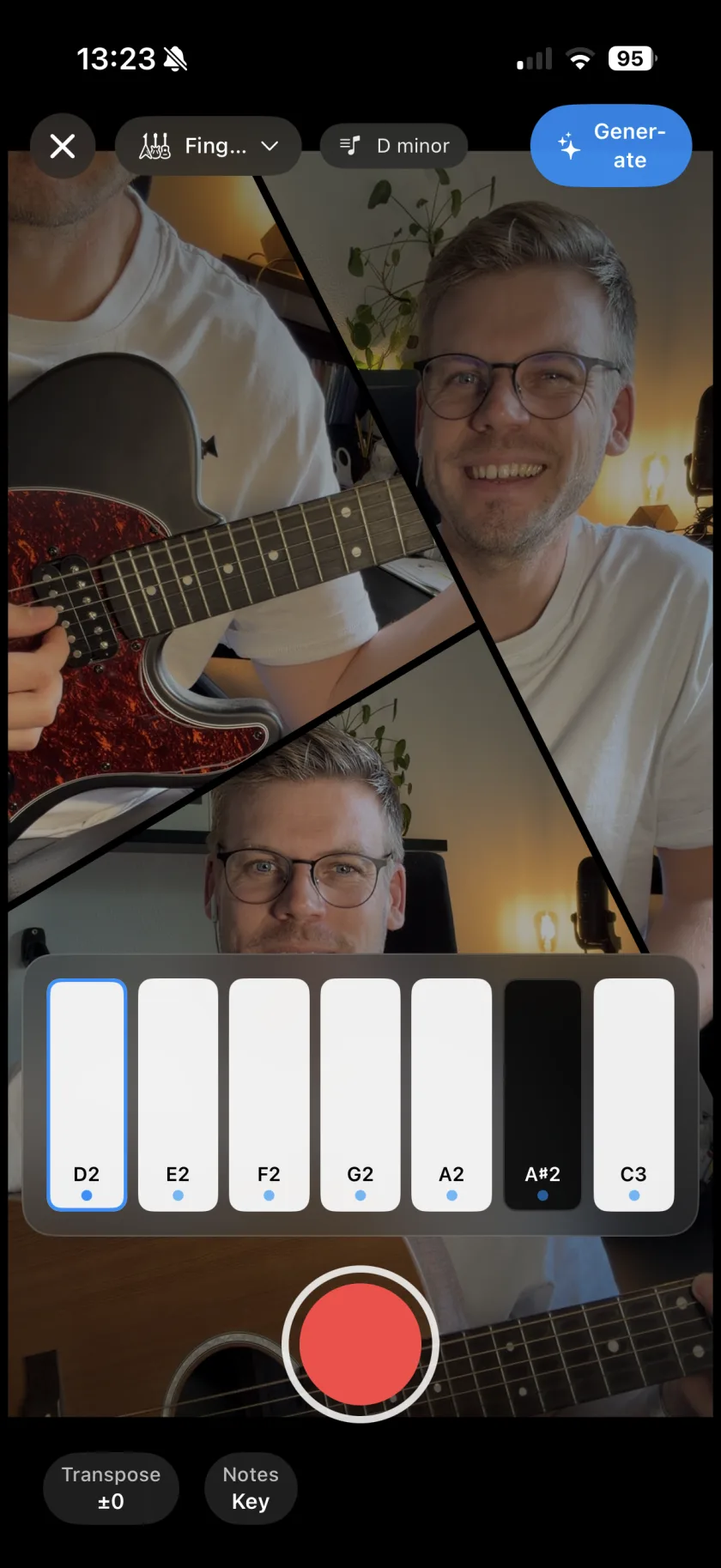
Musaic has nine instrument families with 49 sounds: piano, bass, drums, synth, strings, guitar, harmonica, brass and mallets. You play them on the screen or on a USB or Bluetooth MIDI keyboard, and every recording lands on a new layer while the song plays back. The keyboard can show only the notes of your song's key, so every note fits. The instruments are free.
You need: Nothing extra. A MIDI keyboard is optional; USB and Bluetooth MIDI both work.
-
Open Instruments
Tap Add layer and choose Instruments ("Played with your fingers, on screen or on a MIDI keyboard"), then a family.
-
Pick a sound
Choose one of the sounds of that family, for example Electric Rhodes, Fretless Bass or the 808 Kit.
-
Set the notes
The Notes chip decides which keys you see: Only tones in your key, All notes (chromatic), Root + Fifth only, or your own selection. Key sets the song key, Transpose moves everything by up to 12 semitones.
-
Record
Tap record. A count from 4 to 1 runs, the song plays back, and your part lands on a new layer.
-
Or plug in a MIDI keyboard
Connect a keyboard over USB or Bluetooth. Musaic finds it by itself and shows a panel with the notes you hold, plus Sustain and Soft. On-screen keys brings the touch keyboard back.
-
Piano
Acoustic Grand, Felt Piano, Piano & Strings, Bright Acoustic, Electric Rhodes, Chorused Tine, Bell Piano, Honky-Tonk.
-
Bass
Fingered, Picked, Fretless and Slap Bass, two synth basses, Analog Bass, 808 Sub.
-
Drums
Trap, Acoustic, Rock, Electronic, 808 and Dance kits.
-
Synth
Saw, Square and Pluck Lead, Fifths Arp, Polysynth, Warm, Halo and Sweep Pad, Crystal.
-
Strings and guitar
Warm and Bright Strings, Solo Cello; Nylon, Steel, Electric Clean and Electric Crunch guitar.
-
Harmonica, brass, mallets
Three harmonicas; trumpet, trombone, tuba, French horn; steel drums, kalimba, marimba, vibraphone.
-
Your own SoundFont
Import SoundFont… loads an SF2 or DLS file into a family. It stays on your device.
-
Is there a click while I play?
The instrument recorder counts 4 to 1 on screen before it starts, and the song plays back while you record. The audible metronome is in the camera and audio recorder.
-
Can I fix wrong notes?
Pick Only tones in your key, and wrong notes stop being possible.
Musaic - Recording Studio is free on the App Store for iPhone and iPad. Musaic Pro adds lyrics, animations, chord detection and Fix audio, and removes the watermark.
- Air instruments: play music in the air with your handsGuide
- Generate bass, drums and keys from your chordsGuide
- How to record a song with several tracks on your iPhoneGuide
Written for Musaic 1.4.0.